

How to find your Link ID
- Go to Links.
- Click the ⋯ menu next to the link you want and choose Troubleshoot.
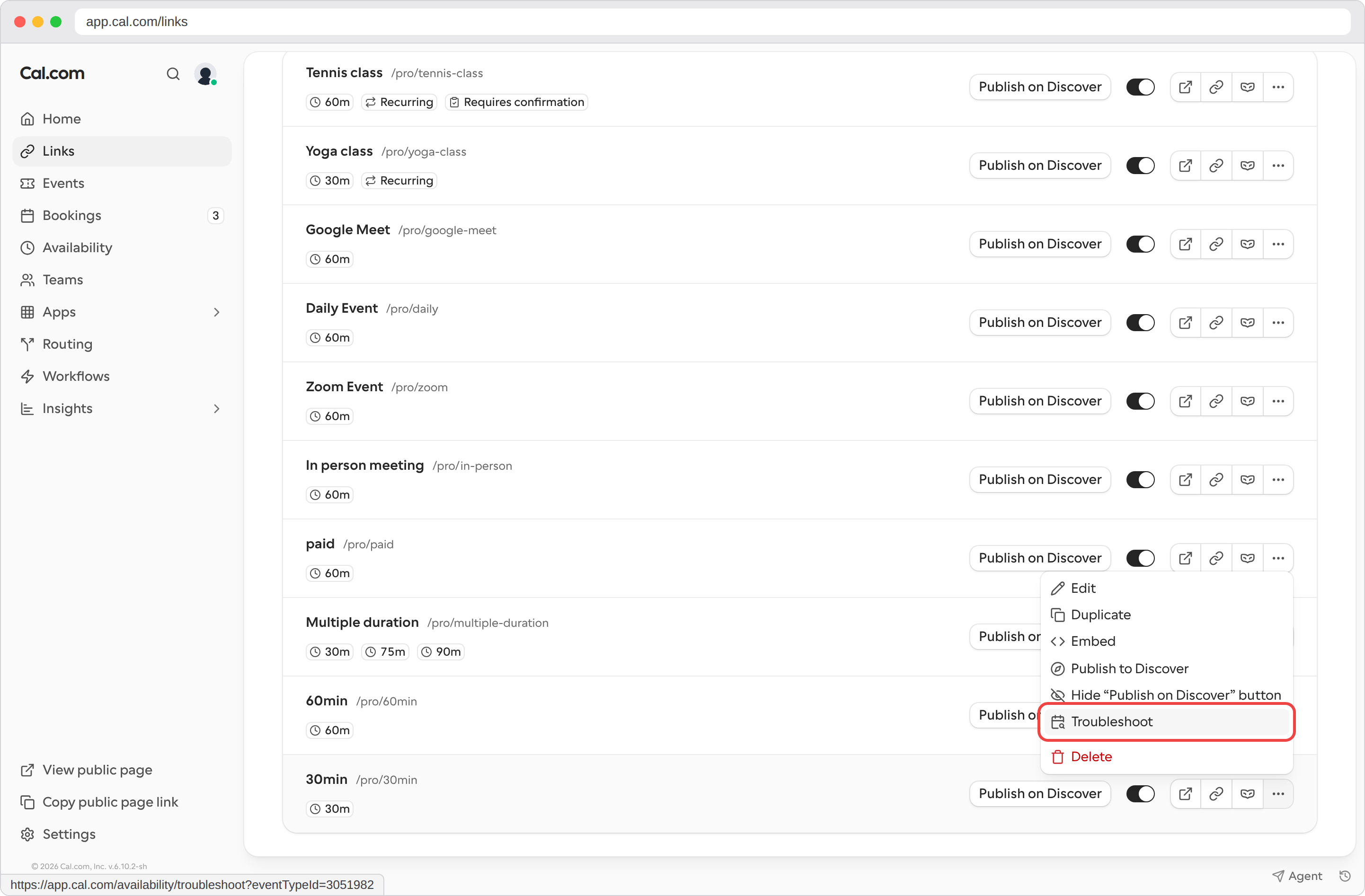
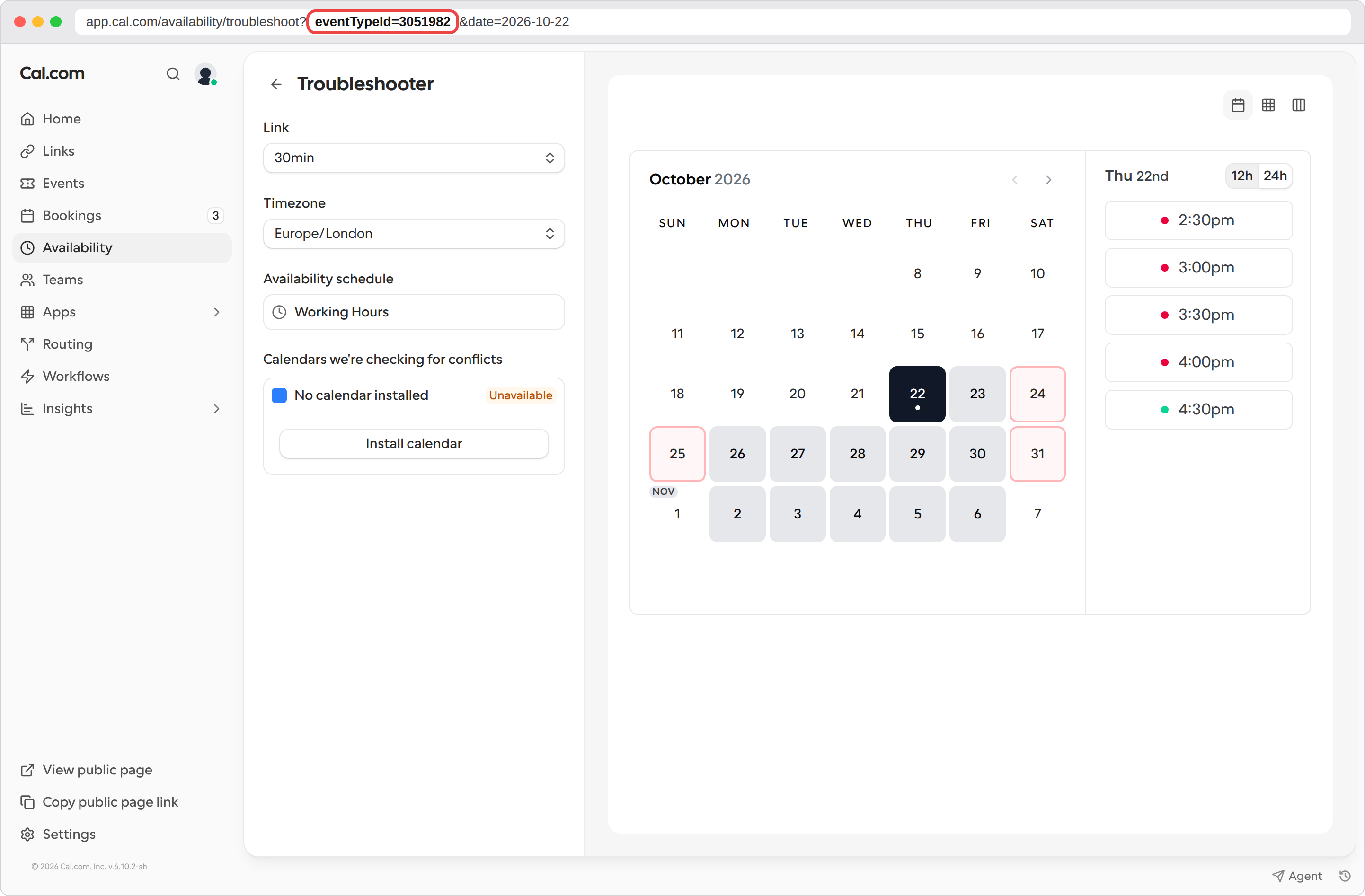
- The troubleshooter opens with your link selected. Look at the URL in your browser’s address bar. It looks like
app.cal.com/availability/troubleshoot?eventTypeId=3051982&date=2026-10-22. The number aftereventTypeId=is your Link ID, so in this example the Link ID is3051982.
The address you see while editing a link (
/links/...) is not the Link ID. It is a short identifier for the settings page only.Other places to find it
- API: List event types returns every link with its Link ID in the
idfield. In the API, links are called event types. - Webhooks: booking webhook payloads include the Link ID as
eventTypeId. - Old links: URLs in the old
/event-types/<Link ID>format still work and redirect to the link’s settings.