

- Go to Links and open the link you want to change.
- In the left sidebar, under Policies, select Privacy & security.
- Toggle on Requires confirmation.
- Click Save.
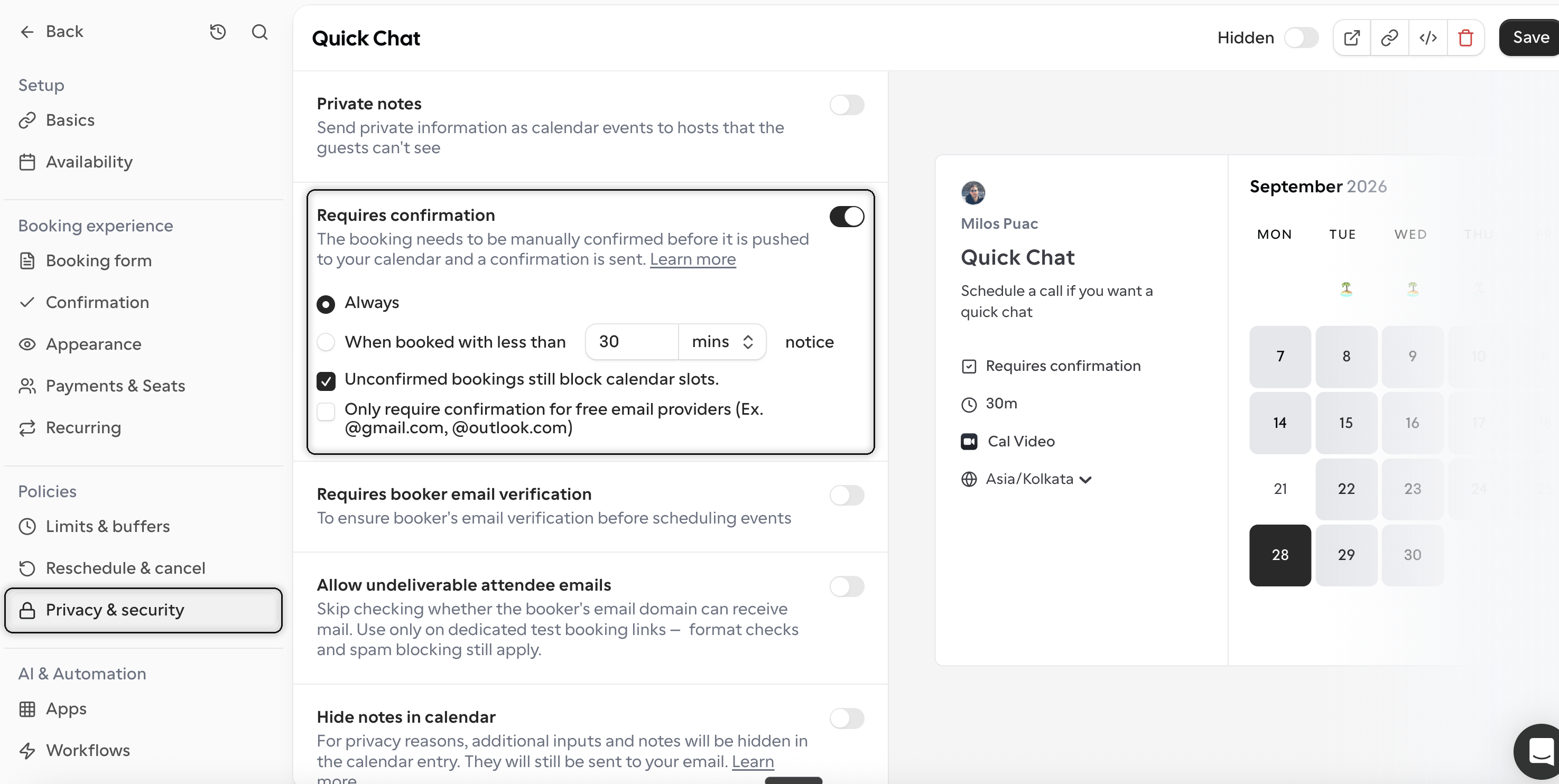
- Always – every booking on this booking link needs your approval before it is confirmed.
- When booked with less than X notice – only bookings made close to the start time need approval. Set the threshold in minutes, hours, or days. Bookings made further in advance are confirmed automatically, so this is a good option if you only want to review last-minute requests.
- Unconfirmed bookings still block calendar slots – while a booking is waiting for your approval, that time is held and not offered to other bookers. Turn this off if you want the slot to stay open until you confirm.
- Only require confirmation for free email providers – bookings from addresses on free providers such as @gmail.com or @outlook.com require your approval, while bookings from company domains are confirmed automatically. This is a simple way to filter for business contacts without reviewing every request.